
Release 1.59
Updated
Welcome to Sardius Control Panel Release 1.59
Released October 12, 2026
AI Curator
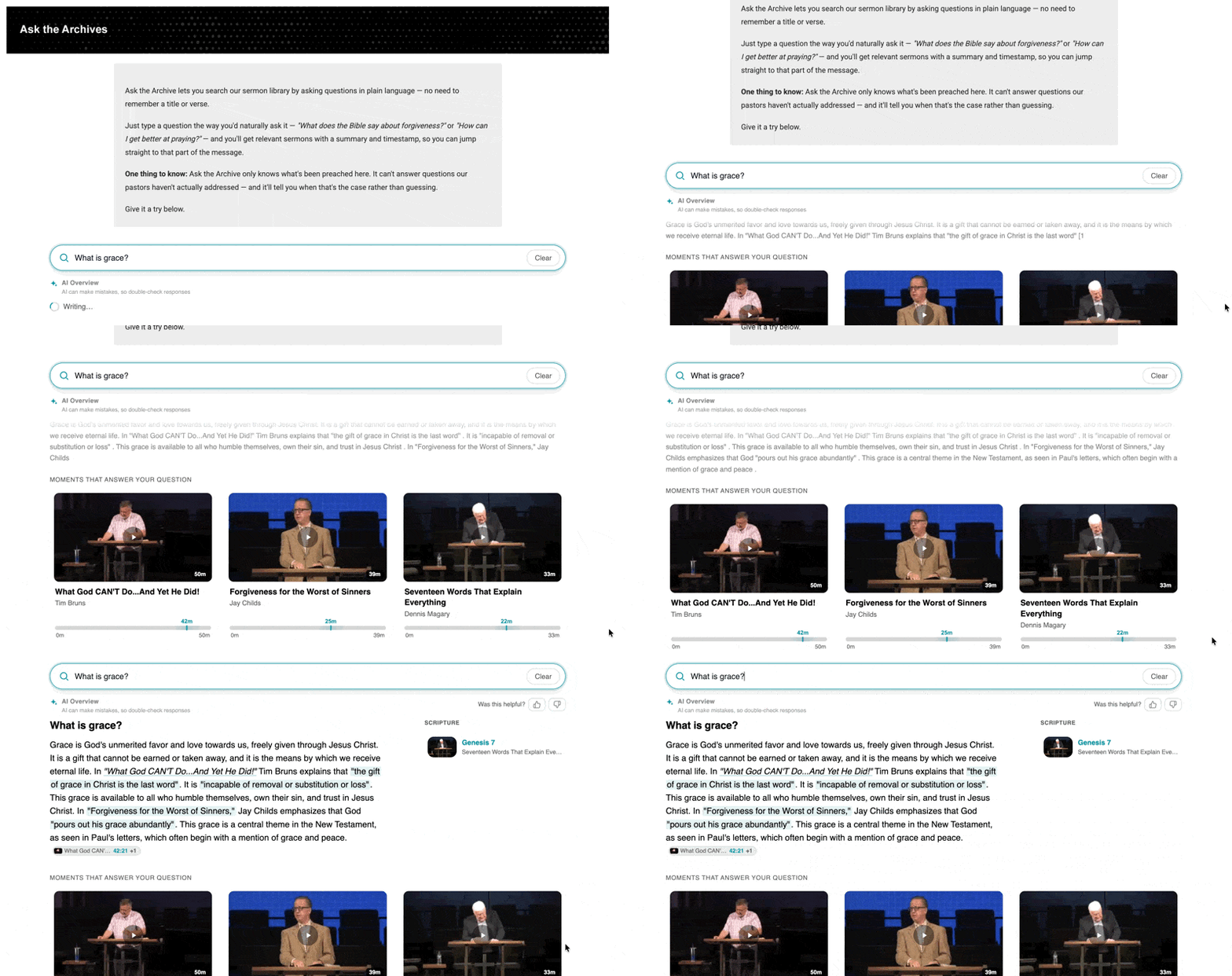
Curator is the third Sardius AI product. Discover finds a moment in the library, Create writes from a single video, and Curator answers questions from the whole library — cited to the exact second. If the library never covered a topic, Curator says so rather than inventing an answer.
How the pieces fit:
-
Feed — The library Curator searches. An embed answers only from its attached feed, and AI Discover must finish processing that feed before Curator can find anything in it.
-
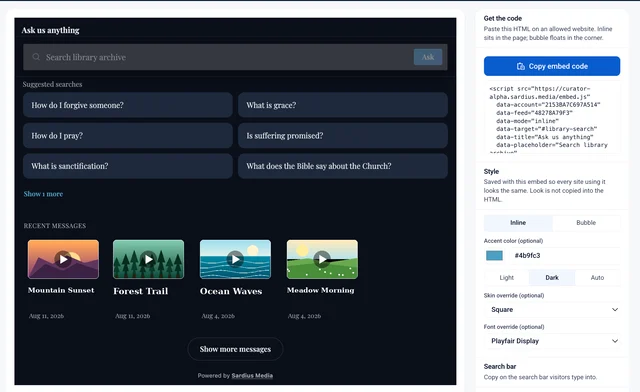
Embed — The widget placed on a client's website. Each embed has its own feed, look, and answer settings, and clients can create more than one.
-
Website allowlist — The widget loads only on domains the client lists. Sardius sites are allowed by default; at least one client domain is required to finish first-time setup.
-
Advanced Settings — Controls match quality and how sources and clips are displayed. Applies account-wide unless an individual embed overrides it.
-
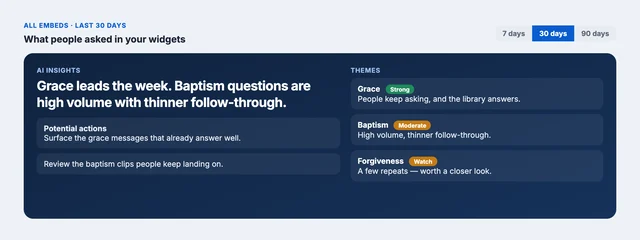
Insights (what people asked) — An AI-generated brief with themes and potential actions, question and unanswered counts, answer-fit scores, a funnel from question → answer → playback, time and location heatmaps, clip candidates (most-cited moments, linked to the Clipping tool), workhorse titles that power the most answers, and content-gap reporting.
To learn more about AI Curator, click here.
Other Improvements
- Makito X and X4 Templates now offer a "AUTO" option for Framerate — the encoder can now utilize the native framerate of the input signal instead of being constrained to an incompatible signal type.
- User Preferences follow the user — SCP preferences were previously stored in the browser and lost when switching computers or browsers. They now save to the user's SCP account.
- Player Editor Updates — All five options in the Appearance Settings (Quality, Languages, etc.) can now be renamed to refine the viewer experience.
- Transcoding Improvements — Assets now autorefresh when a media profile has finished transcoding. Edits to the asset are also locked during transcoding, preventing accidental metadata loss.
- Media Badges — The Asset Library now displays now shows badges for formats actually present on the asset, rather than applied Media Profiles. This will help users avoid unnecessary transcode processes.
- Filter Assets by AI-Indexed Status — Adds a way to filter the Assets library by whether an asset has been indexed by AI Discover, and limits Discover search results to only indexed assets.